IPTV Streaming Service — Complete Beginner's Guide for the USA (2026)
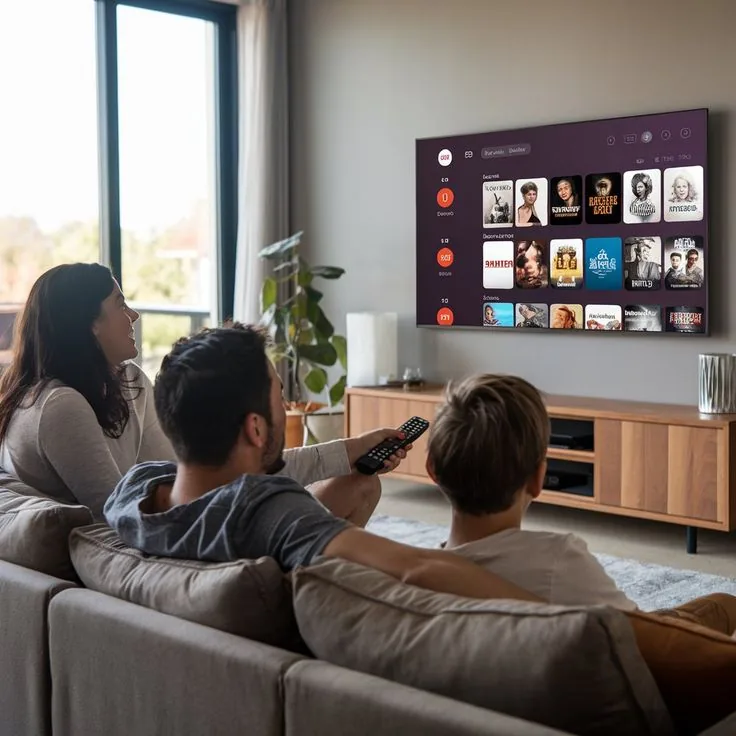
If you've heard about IPTV but aren't sure exactly what it is, how it works, or whether it's right for you — this guide covers everything you need to know. From the technology behind it to setting it up on your device in under 10 minutes, here's the complete picture for American viewers in 2026.
What Is an IPTV Streaming Service?
IPTV stands for Internet Protocol Television. Instead of receiving TV signals through a satellite dish or cable line, IPTV delivers live channels and on-demand content through your internet connection — the same way streaming platforms deliver video, but with live TV and a far larger channel lineup.
The key difference from standard streaming platforms is that IPTV gives you access to live broadcast channels — sports, news, local TV — alongside a massive on-demand library, all through one subscription.
Traditional Cable TV
Physical infrastructure, limited channels, fixed schedule, $80–$150/month, installation required.
IPTV Streaming
Internet-based, 45,000+ channels, live + VOD, from $25/3 months, setup in minutes.
How Does IPTV Work?
The Technical Side (Simplified)
An IPTV provider maintains a network of servers that store and stream TV channel feeds. When you subscribe, you receive a set of credentials — typically an M3U playlist URL or a MAG/Xtream code — that you enter into an IPTV player app on your device. The app connects to the servers and streams the content directly to your screen.
The quality of your experience depends on two things: the provider's server infrastructure, and your home internet speed. For 4K streaming, a connection of at least 25 Mbps is recommended. For standard HD, 10 Mbps is sufficient.
What You Need to Get Started
- A reliable internet connection (10 Mbps minimum, 25+ for 4K)
- A compatible device (Smart TV, Firestick, phone, PC, or set-top box)
- An IPTV player app (IPTV Smarters, TiviMate, GSE Smart IPTV, etc.)
- An active IPTV subscription with credentials
Devices That Work with IPTV
Amazon Firestick — Most Popular in the USA
The Amazon Firestick is the most common device for IPTV in the United States. Install IPTV Smarters Pro or TiviMate from the Amazon App Store, enter your credentials, and you're streaming. The process takes about 5 minutes from start to finish.
Smart TV
Samsung, LG, and Sony Smart TVs all support IPTV through apps available in their stores. Some models also support direct M3U input without a third-party app.
Phones and Tablets
IPTV Smarters and GSE Smart IPTV are available on both iOS and Android. Full 4K playback on supported devices with a strong connection.
PC and Mac
VLC Media Player, Kodi, or dedicated browser-based players work well for IPTV on computers. No additional hardware needed.
45,000+ channels · 4K UHD · No credit card · Instant activation
💬 Get Free Trial View PlansHow to Set Up an IPTV Service — Step by Step
- Choose your provider and subscribe — or start with a free 24h trial. Contact iptvusa8k.com via WhatsApp.
- Receive your credentials — M3U URL or Xtream Codes (username + password + server URL). Delivered within minutes.
- Download an IPTV player — IPTV Smarters Pro (Firestick/Android/iOS) or TiviMate (Firestick/Android) are the top choices.
- Enter your credentials — Open the app, select "Add Playlist" or "Xtream Codes," and paste your details.
- Browse and watch — Your full channel list loads automatically. Search by name, browse by category, or open VOD.
IPTV vs Cable vs Satellite — Which Wins?
For most American households in 2026, IPTV wins on almost every dimension. Cable and satellite TV offer more regulatory certainty but come with physical infrastructure costs, limited channel flexibility, and prices that have increased every year for a decade.
A quality IPTV service like iptvusa8k.com offers more channels in higher quality — up to 8K — at a fraction of the cost. The Standard plan starts at $25 for 3 months versus $80–$150/month for a comparable cable package. The Premium plan at $29/3 months adds 4K/8K streams, PPV events, and priority support.
The only advantage cable and satellite retain is reliability without internet dependency — but with modern fiber connections across the US, that gap has nearly closed.
Common Questions About IPTV Streaming
What internet speed do I need?
HD streaming: 10 Mbps. Full HD: 15 Mbps. 4K: 25 Mbps. 8K: 50+ Mbps. Most US broadband connections comfortably exceed these thresholds.
Can I use a VPN with IPTV?
Yes. A VPN can improve stability in some cases and adds privacy. Choose a VPN with fast servers in the USA for best results. Some providers may require you to disable VPN for activation.
How many devices can I use?
One subscription covers one device at a time (IP/MAC based). Multi-screen plans are available — 2 screens for $109/3 months, 3 screens for $149/3 months at iptvusa8k.com.